Scan to BIM customer portal: all your projects on your phone
In short: 3 points
- 01
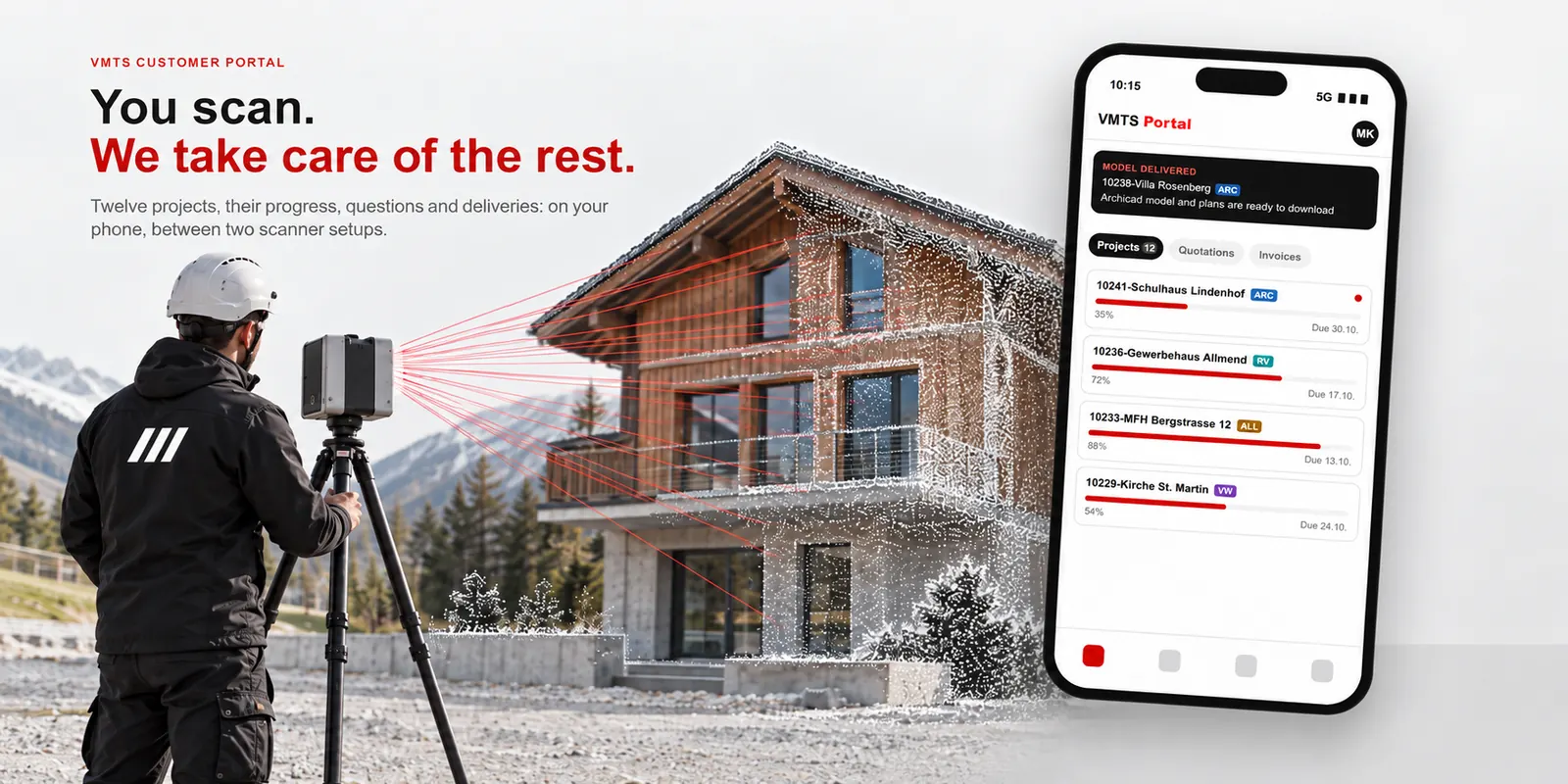
Clients of VMT Solutions follow their scan to BIM projects in the customer portal at portal.vmts.ch: projects, quotations and invoices, the progress of every project and the full conversation behind it.
- 02
The portal is built for the phone. A surveyor in Germany or Austria can follow ten or more running projects on site, answer a question from the modelling team and pass a model on to the architect between two scanner setups.
- 03
The portal shows only what our team is waiting for from you. You focus on laser scanning; checking the point cloud, modelling, quality control and delivery are handled by VMTS.
Surveying firms in Germany and Austria earn their money in the field. Yet as soon as several point cloud to BIM projects run in parallel, much of the day goes into coordination: which model is ready, which question is still open, where the latest version is, which invoice is due. Most of it lives in long email threads that are hard to read on a phone at a construction site. The VMTS scan to BIM customer portal removes that overhead. It puts every project, every file and every open point in one place, readable on a phone and fully available in German, so you can spend the day scanning while the downstream work continues in Vietnam.
What is the VMTS scan to BIM customer portal?
The VMTS customer portal is a secure web application at portal.vmts.ch in which clients of VMT Solutions follow their scan to BIM projects. It shows the status and progress of every project, the quotations and invoices, all files and messages exchanged with the modelling team, and the points on which the team is waiting for the client. It runs in any browser on phone, tablet and desktop, without installation.
At a glance
| Address | portal.vmts.ch |
|---|---|
| Devices | Phone, tablet and desktop, in the browser; no app to install |
| Languages | German, English, French, Dutch, Italian, Japanese |
| What you see | Projects with progress, quotations, invoices, messages and files, reminders |
| Access | Each user sees only the projects of their own company |
| Files | Up to 2 GB per message, with preview for PDF, images, Excel and Word |
The portal is connected to our project management. When a quotation is confirmed, a project starts or an invoice is issued, it appears in the portal without anyone having to send a status mail.
A day in the field with twelve projects running
Here is what this looks like for a surveyor who has twelve point cloud to BIM projects with VMTS at the same time and spends the day on the as-built survey of a school.
| 07:30 | In the van before the first setup: one look at the project list. Nine projects are progressing, two have been delivered, one carries a red dot: the modelling team has a question about the staircase of the Lindenhof school. |
| 10:15 | Between two setups: the question comes with a marked section of the point cloud and two options. The answer “B” takes ten seconds and is filed in the project thread, visible to everyone involved. |
| 12:00 | Lunch break: the Archicad model of another project has been delivered. The preview opens on the phone, and the architect has the files the same day. |
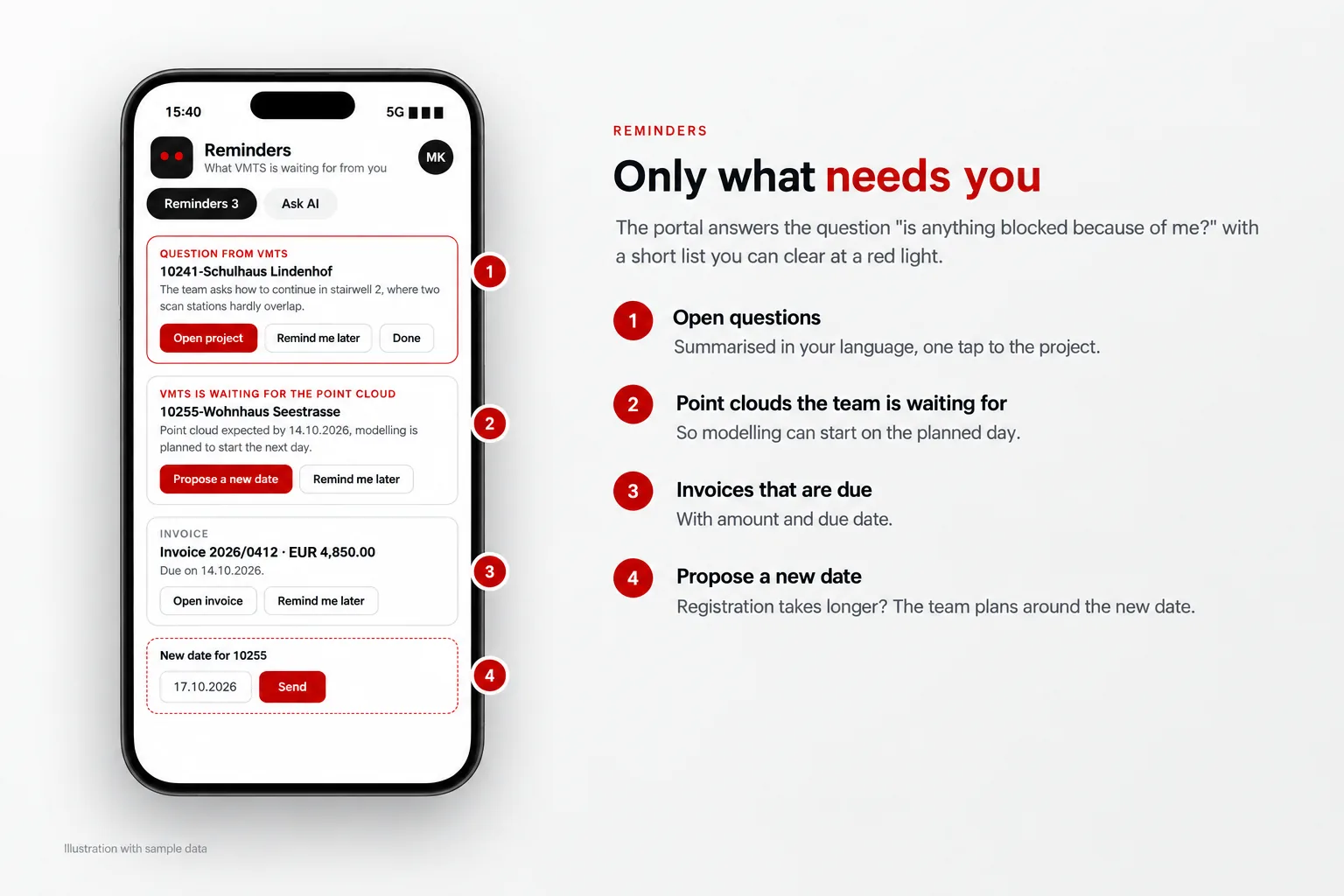
| 15:40 | A reminder says the team is still waiting for the point cloud of a new project. Registration in the office will take two more days, so a new date is proposed in two taps. |
| 18:00 | End of the working day in Germany and Austria; in Vietnam it is already night. Our team picks up the answer and the new date at the start of its next working day, around 2 or 3 a.m. your time depending on the season, and the projects move on while you sleep. |
No phone call, no searching through the inbox, no laptop. And the time difference works in your favour: a question you answer in the evening is usually being worked on before you are back in the office the next morning.
Key features of the scan to BIM customer portal
1. All projects, quotations and invoices at a glance
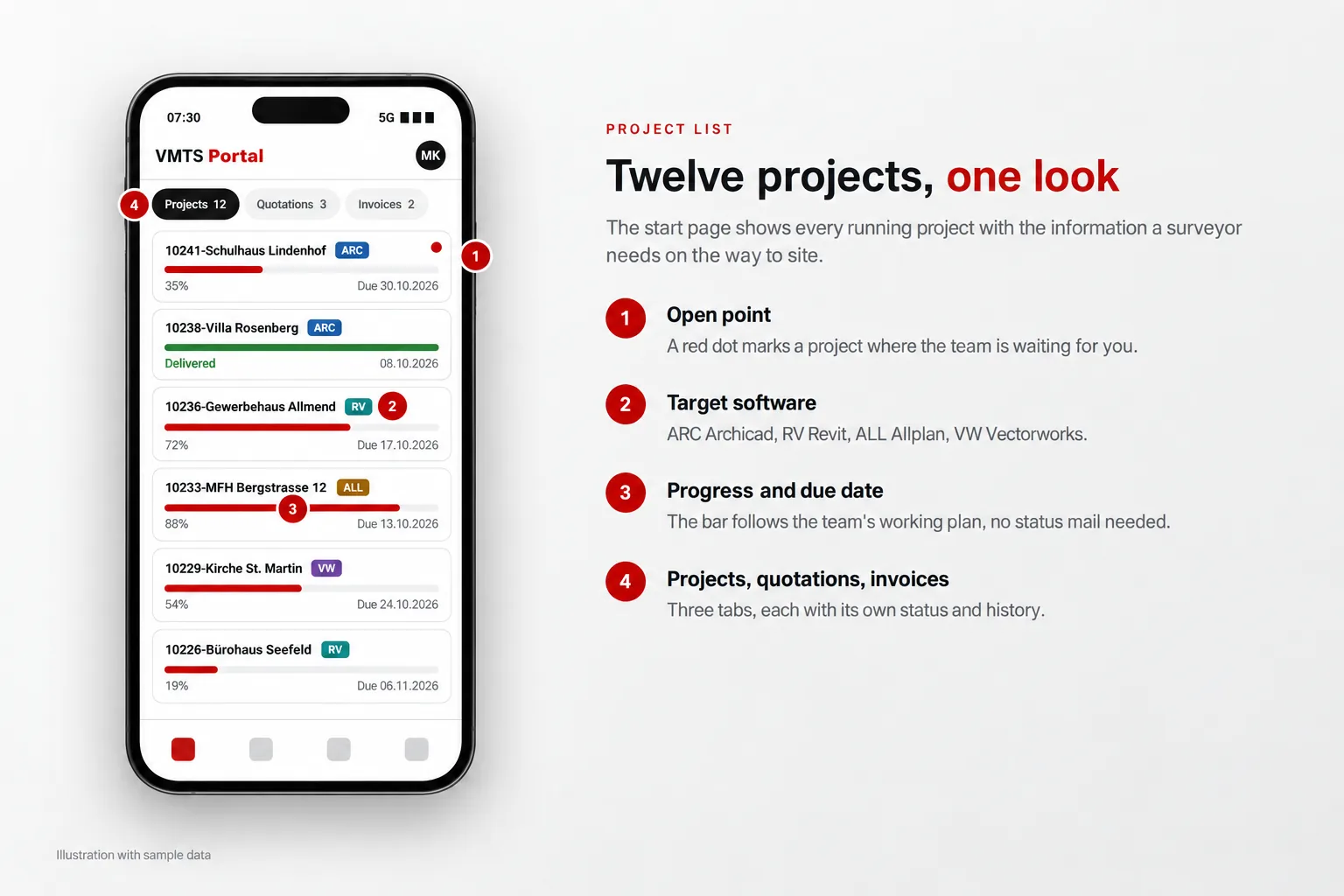
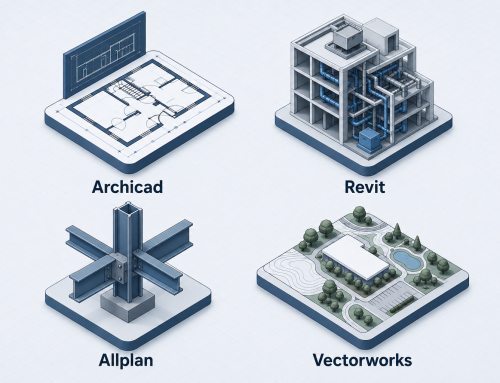
The start page lists your projects, quotations and invoices in three tabs. Every project carries a progress bar that follows our team’s working plan for that project, along with its due date and a badge for the target software (ARC for Archicad, RV for Revit, ALL for Allplan, VW for Vectorworks). Quotations show whether they are still waiting for your approval. With twelve projects running, you see within seconds which ones are on track and which need you.
2. One conversation per project, with files and previews
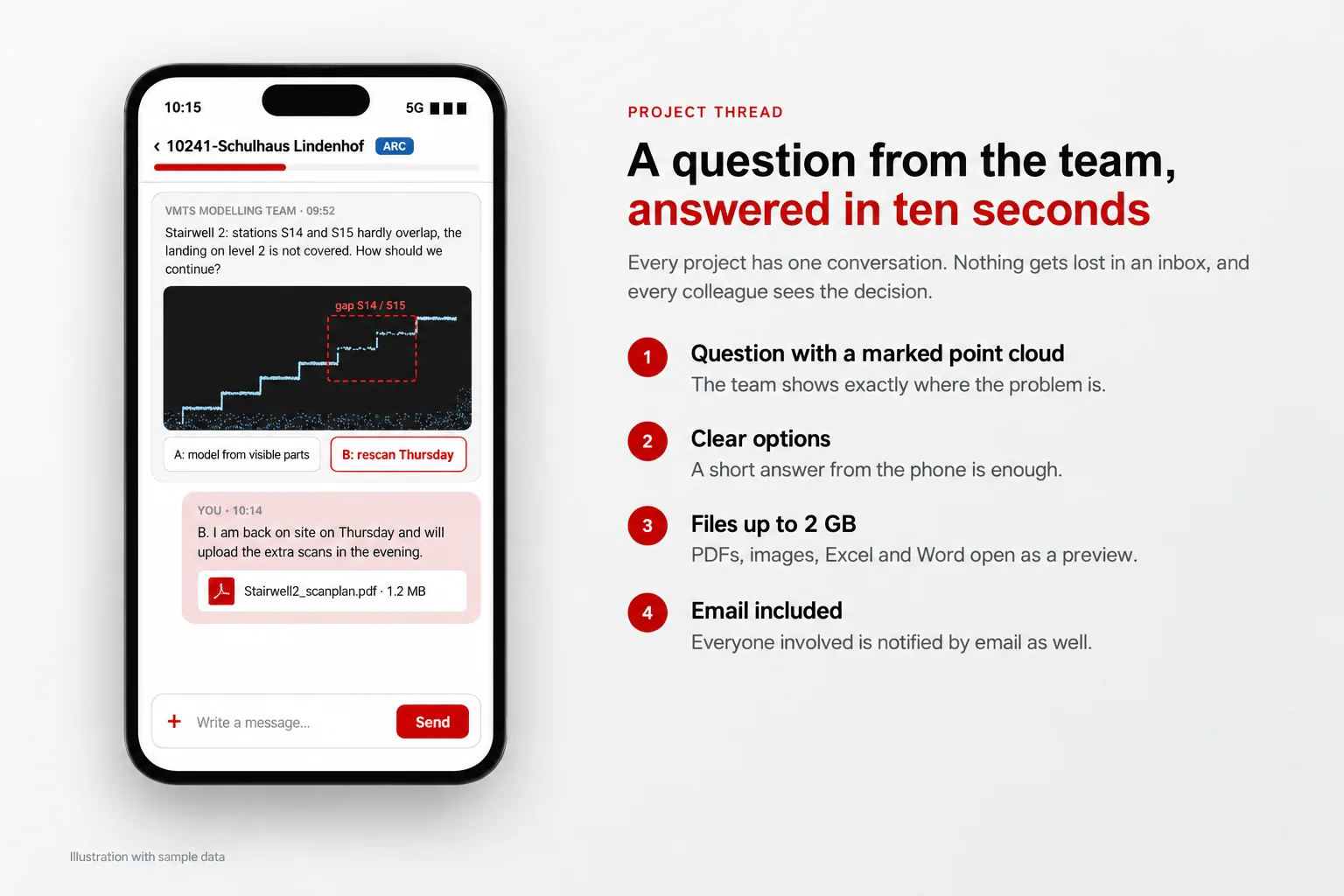
Every project, quotation and invoice has its own message thread. Questions, answers, screenshots, plans and models stay with the project they belong to instead of being scattered across inboxes. Files of up to 2 GB can be attached to a message; PDFs, images, Excel and Word files open as a preview directly in the browser. Everyone involved is notified by email, and large files arrive as download links rather than blocking a mailbox.
Example: the modelling team notices that two scanner setups in a stairwell hardly overlap. Instead of a long email, the question arrives in the project thread with a marked section of the point cloud and clear options. You answer from the phone, and the decision is documented for everyone who works on the project later.
3. Reminders: what VMTS is waiting for from you
A small assistant at the edge of the screen collects the points on which our team needs something from you: an open question in one of your projects, a point cloud for a project that is about to start, an invoice that is due. Each reminder shows a short summary in your language and opens the right project with one tap. If the moment is not right, “Remind me later” moves it to tomorrow or next week. If a point cloud will arrive later than planned, you propose a new date directly, and the team plans around it.
The question “is anything waiting on me?” becomes a short list you can clear during a coffee break.
4. Ask AI: questions about your own projects
“Which of my projects are due this month?” “What did we agree on the roof of the Lindenhof school?” “Which invoices are still open?” The portal’s AI assistant answers such questions from your own projects, quotations, invoices and messages. It can only read the records of your company, and if you would rather talk to a person, one tap sends the conversation to our team.
5. Dashboard, project map and gallery
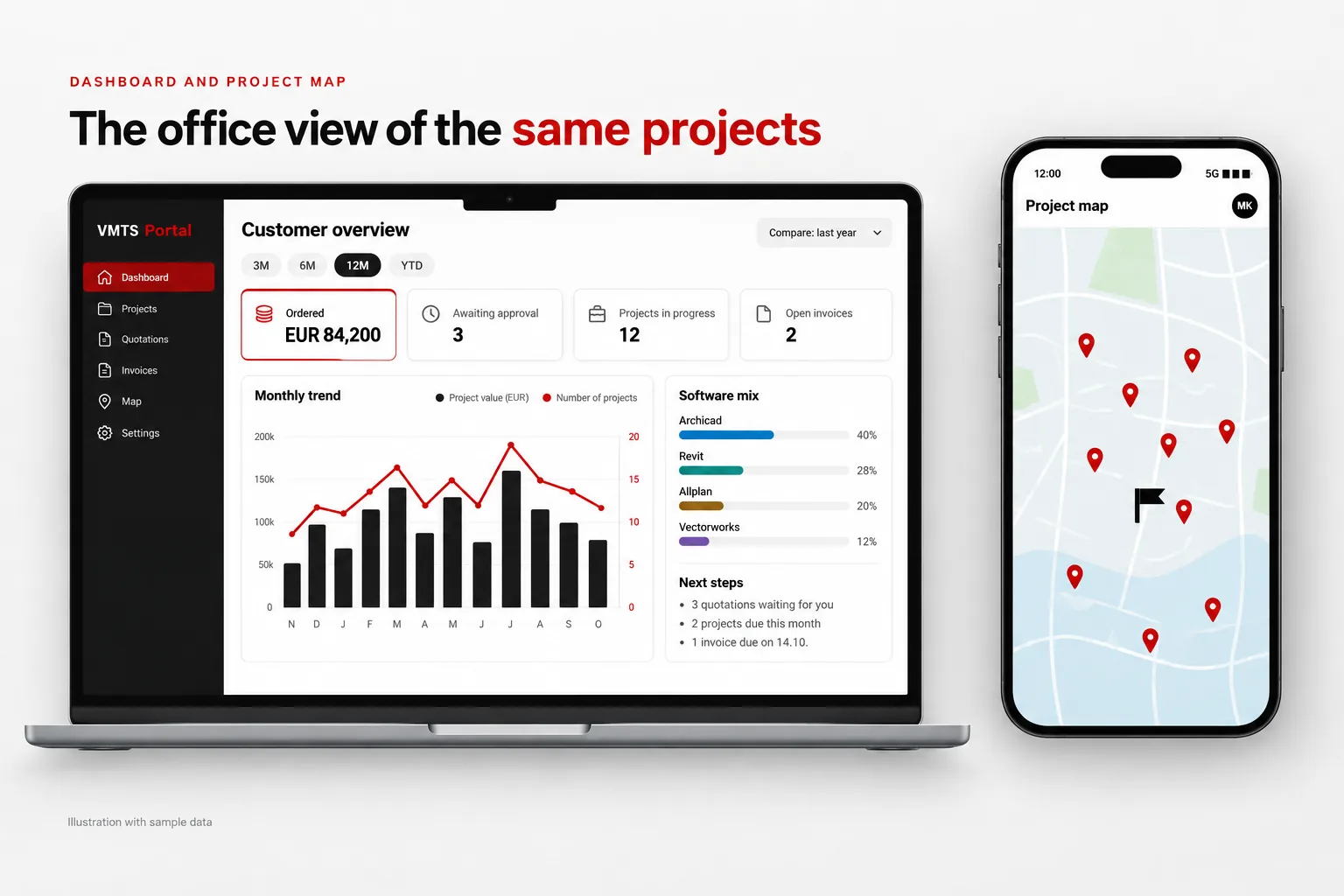
For the office side of the business, the dashboard shows ordered volume per month, quotations waiting for approval, projects in progress and open invoices, broken down by software and exportable to Excel. The project map shows your project sites on a map, which helps when you plan the next round of site visits. The gallery collects the renderings and videos delivered for your projects, ready to show to your own clients.
6. Cloud storage, office hours and new inquiries
All files exchanged in your projects are also stored in a structured cloud folder per project, which you can browse and download in the portal. A small clock in the header shows whether our office in Ho Chi Minh City is open right now, converted to your time zone, and when a message written now will be read. And when the next job comes in, you send the inquiry from the same portal, even from the site.
Can I follow my scan to BIM projects on my phone?
Yes. The VMTS customer portal is designed for the phone first, because that is where surveyors are during the day. The menu sits in a bar at the bottom of the screen, the reminders open full screen and adapt to the keyboard, and file previews work on the phone as well. There is nothing to install: you open portal.vmts.ch in the browser and sign in. Several colleagues of the same company can have their own accounts, so the person on site and the person in the office see the same projects.
Email only or customer portal: what changes
| Task | Email only | VMTS customer portal |
|---|---|---|
| Status of 12 projects | Ask, wait for replies | One list with progress per project |
| Open questions | Hidden in long threads | Reminder list, one tap to the project |
| Latest model version | Search attachments and links | In the project thread and its cloud folder |
| Large files | Mailbox limits, separate transfer services | Up to 2 GB per message, download links by email |
| Quotations and invoices | PDFs in different emails | Own tabs with status and history |
| A new colleague joins | Forward old emails | Own account, full project history |
Who can see my project data?
As-built data often concerns buildings that are not public. Every request in the portal is checked on the server against the company it belongs to: a user only ever sees the projects, files and invoices of their own company. Internal discussions of the VMTS team are kept separate from the client view. The AI assistant works under the same rule and receives only the records of the signed-in company. How we handle projects with particularly strict requirements is described in our article on secure BIM projects and data sovereignty. If your data protection officer has questions about the portal, we are happy to provide the details.
You scan, we take care of everything after the scan
The portal is the visible part of a clear division of work. Your strength is capturing the building; ours is everything that follows. Before modelling starts, our surveying engineers check the registration and coverage of your point cloud, so problems come up while you can still fix them on site, not at handover. A team of more than 100 BIM specialists then models natively in Archicad, Revit, Allplan or Vectorworks, and every delivery passes quality control before it appears in the portal. Many surveying firms use this to absorb project peaks without hiring additional staff.
That is what our slogan means in daily work: “You scan – we support all downstream services, from point clouds to native BIM models.” The customer portal makes sure you always know where each of those services stands, wherever you are.
Frequently asked questions about the VMTS customer portal
Who can use the VMTS customer portal?
Clients of VMT Solutions. Access is set up by our team; colleagues from the same company can receive their own accounts and see the same projects.
Do I need to install an app?
No. The portal runs in any current browser on phone, tablet and desktop at portal.vmts.ch.
Is the customer portal available in German?
Yes. The portal is available in German, English, French, Dutch, Italian and Japanese. Each user chooses the language in the account menu, and the notification emails follow the same setting.
How is the progress of a project calculated?
The progress bar follows the working plan our team sets up for each project, so it moves as the planned modelling work advances, without anyone updating it by hand.
How does the time difference between Germany or Austria and Vietnam affect the work?
Vietnam is five hours ahead of Germany and Austria in summer and six hours in winter. Our office is open Monday to Friday from 08:00 to 18:00 Vietnam time, which is roughly 03:00 to 13:00 your time in summer and 02:00 to 12:00 in winter. Your morning overlaps directly with our working day, and what you write in the portal in the evening is usually being worked on before your next working day begins. The clock in the portal header always shows whether our office is open.
Can I still communicate by email?
Yes. Every message in the portal is also sent by email to the people involved, and the portal keeps the complete history of each project in one place.
Spend your day scanning
We would be happy to show you the portal in a short online meeting and discuss your next project. Send us your point cloud data for a no-obligation quotation; we typically respond within 24 hours.
Nguyen Huynh (Rainer)

About the Author:
Nguyen Huynh (Rainer) is Managing Director at VMT Solutions, specializing in Point Cloud to BIM workflows for surveying, planning, and engineering offices. He focuses on precise BIM models, clearly defined quality standards, and long-term technical partnerships.
Share This Story!
Related Posts

Recent Posts


We are proud to have
satisfied customers.

 Gerd Gindullis, Lecturer for digital as-built data capture at Aachen University of Applied Sciences, TerraMeta 3D Laser Service
 Stefan Schramm, Architekt Stefan Schramm
„Your plans are perfect; I’ve never seen anything like this before. These are drawings of the highest quality, I must say. I want to express my sincere thanks once again for your work.“
 Endre Szokolai, Digitalplan-Szokolai
VMT modeled a large industrial building in 3D for our research project. We provided DWG plans to VMT, and they delivered a highly detailed model, including the building envelope, interior walls, openings, and stairs. We had previously contracted a German company for the same object, but unfortunately, it didn’t work out. I was relieved and pleased that VMT handled it so reliably. Thank you for the excellent work and the truly fair price!

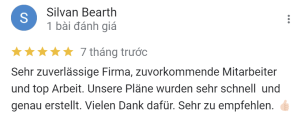
Very reliable company, courteous staff, and top-quality work. Our plans were created quickly and accurately. Thank you for that. Highly recommended.
Excellent advice and high 3D modeling quality at a great price-performance ratio… What more could you want? I can highly recommend them…