Point Cloud to Archicad: Scan to BIM for Historic Buildings
DEFINITION
What is “point cloud to Archicad”?
“Point cloud to Archicad” describes the process of converting raw 3D laser scan data (a point cloud) into a native BIM model built directly in Graphisoft Archicad. The result is a fully editable .pln or .pla file — not an IFC import — in which every wall, roof plane, column, and opening is modeled as an Archicad element. This workflow is the preferred approach for architects and heritage conservators who work natively in Archicad and need an as-built model they can extend without format conversion.
Introduction
Historic buildings rarely have reliable as-built drawings. Walls have shifted over decades, renovation works were carried out without documentation, and original floor plans — if they still exist — often no longer reflect the current state of the structure. Before any serious restoration or conservation work can begin, the building needs to be accurately measured and converted into a format that architects and engineers can actually work with.
This article focuses on the Archicad workflow. For an overview of scan-to-BIM for heritage across all platforms, with further project examples, see Scan-to-BIM for heritage buildings and historic structures.
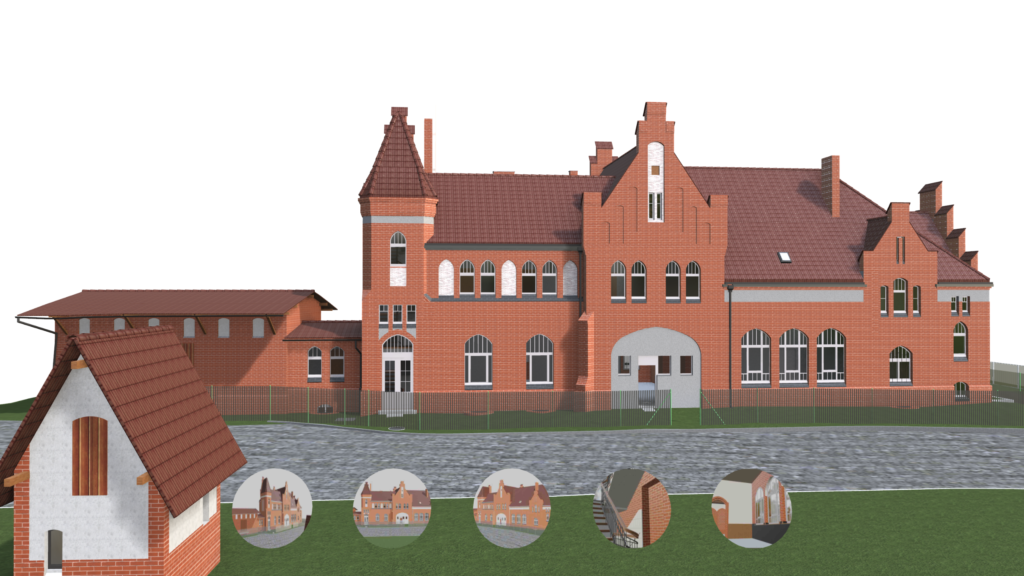
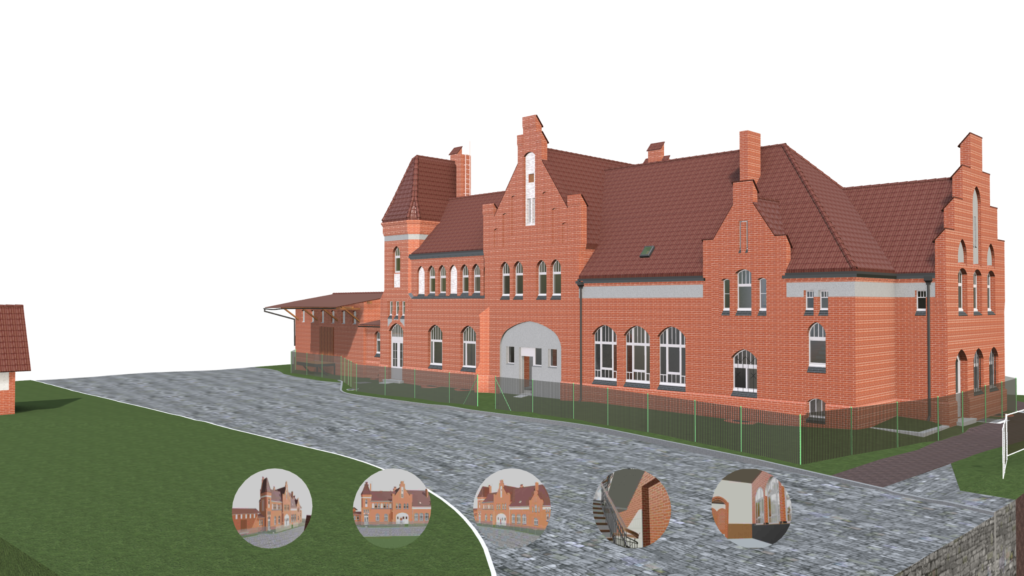
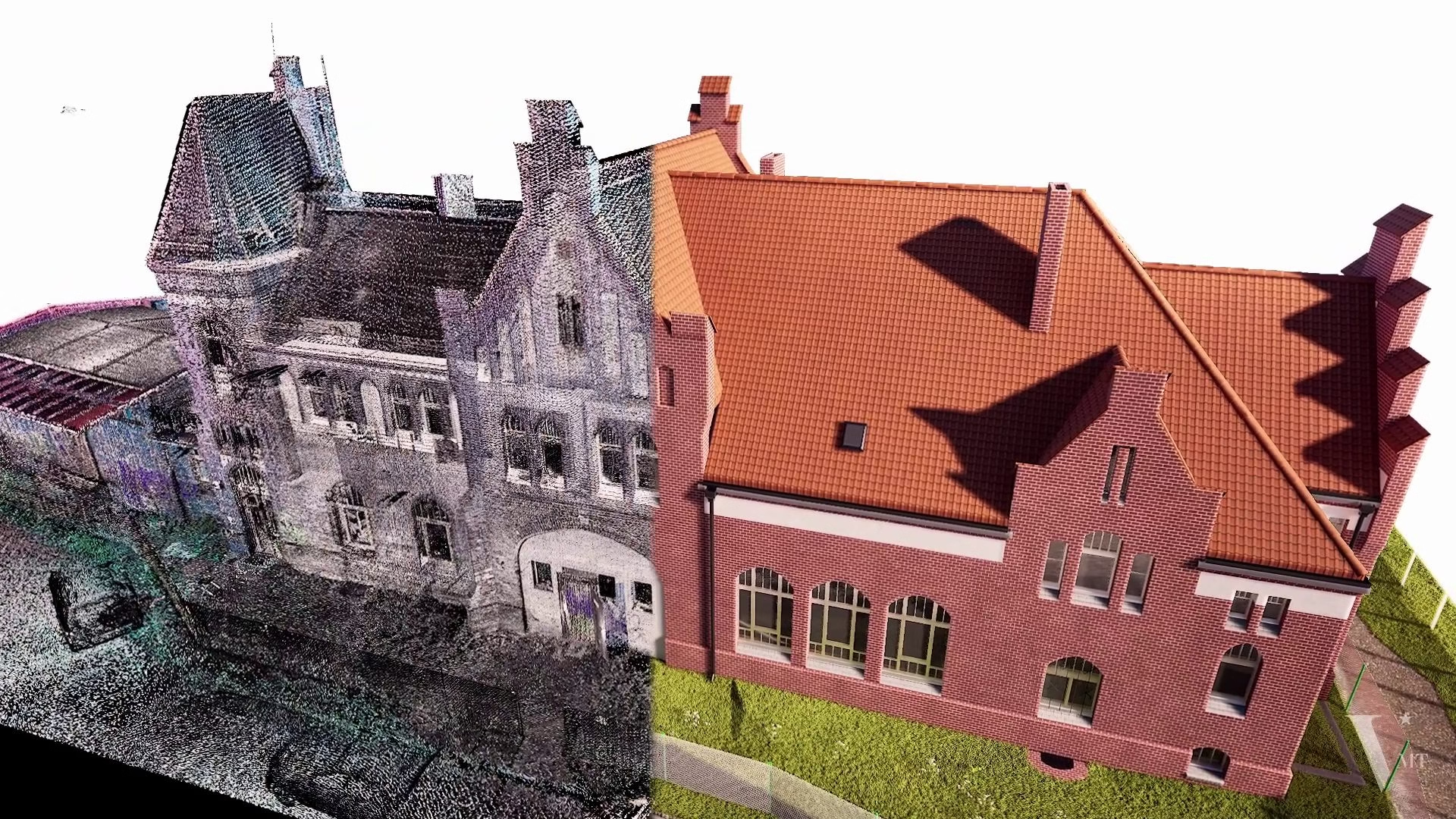
For practices working in Graphisoft Archicad, that means a native Archicad model built directly from laser scan data. The Alter Bahnhof Caputh project in the Potsdam region, Germany, is a clear illustration of this workflow in practice and what it delivers for architectural heritage conservation.
Reference Project: Alter Bahnhof Caputh
Building
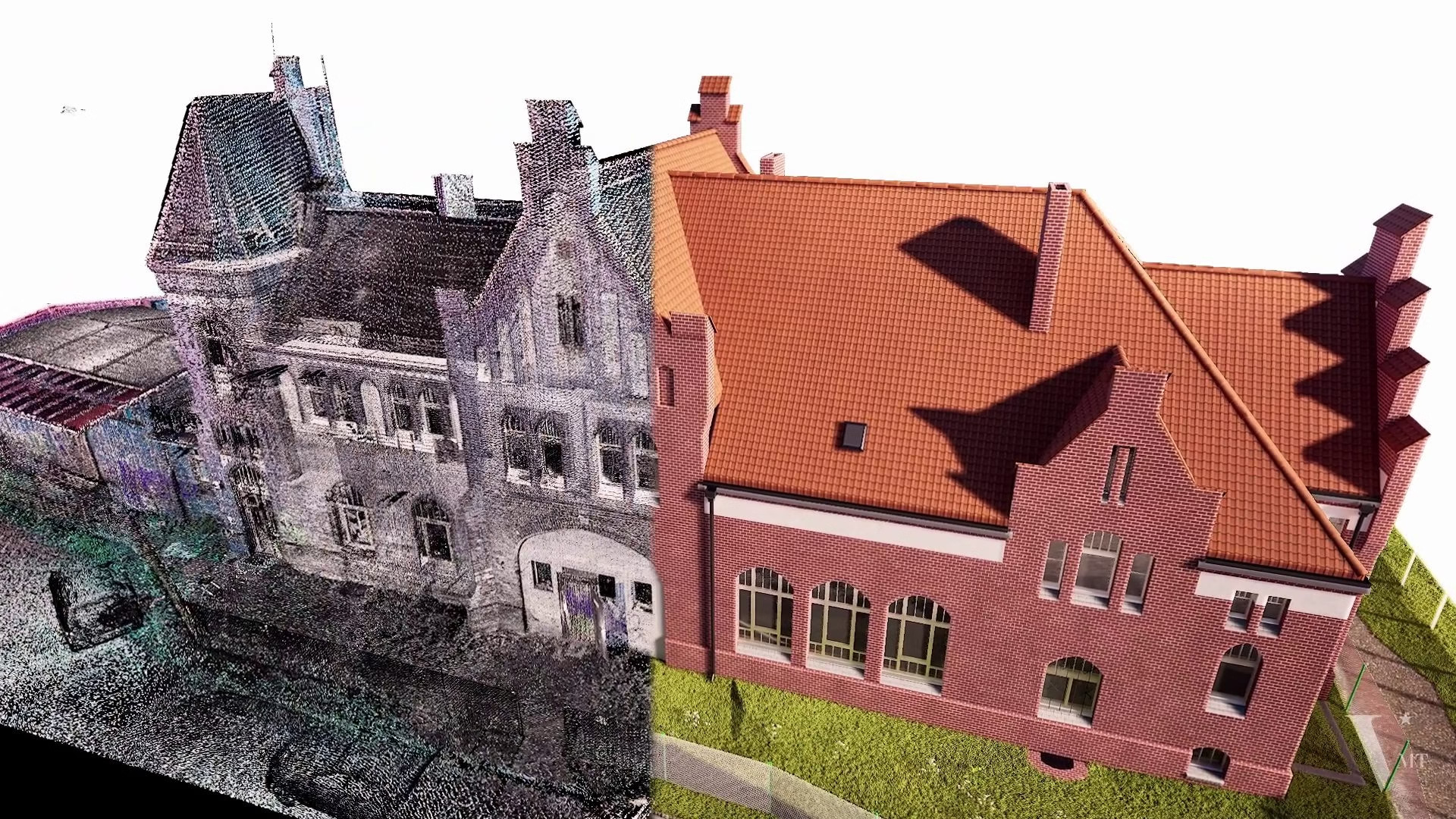
A 19th-century historic railway station building, listed under monument protection (Denkmalschutz), located in Caputh, near Potsdam, Brandenburg, Germany.
VMTS Scope
On-site laser scanning, point cloud processing, and millimetre-accurate 3D BIM modelling in Archicad.
Deliverable
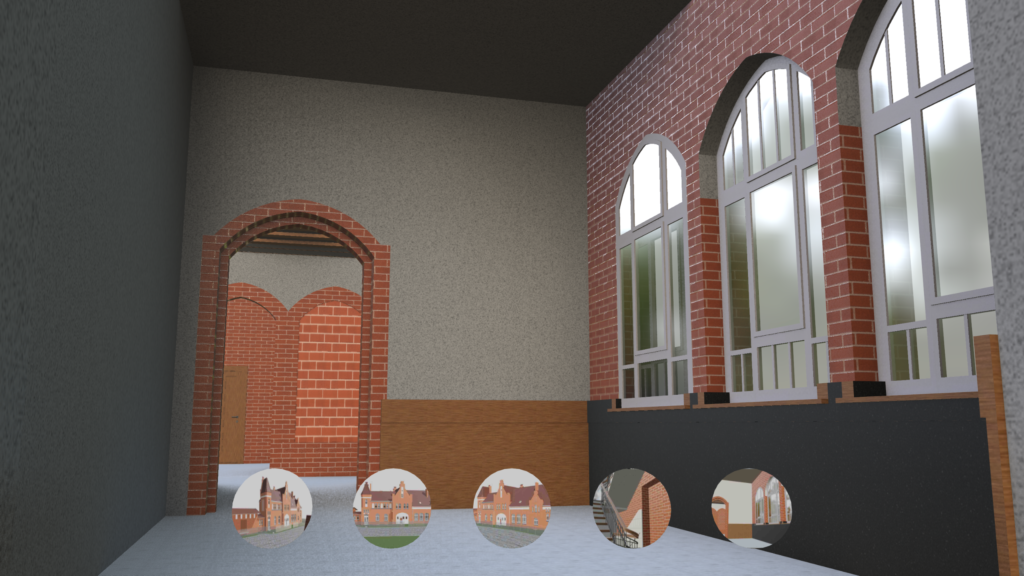
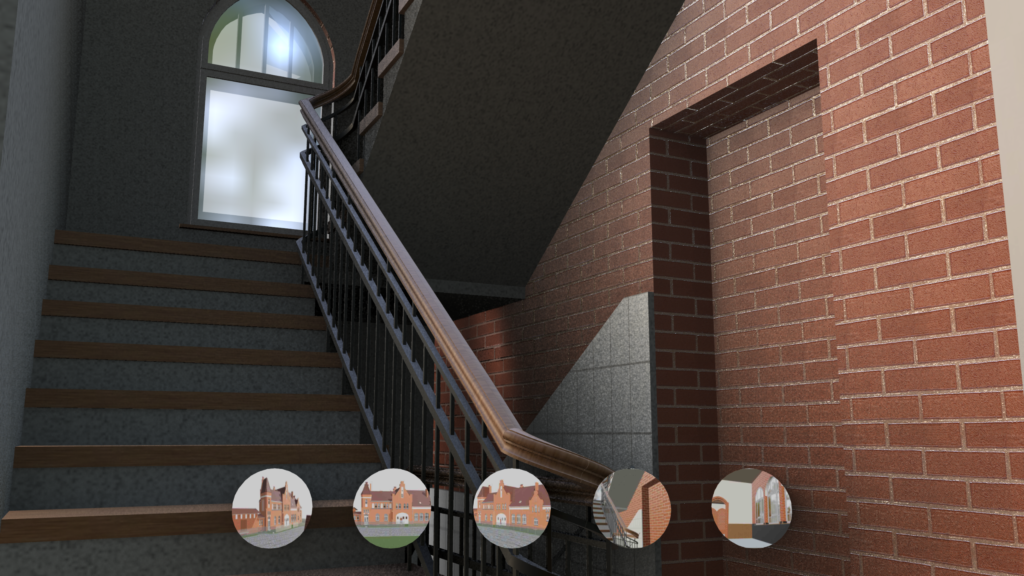
A native Archicad .pln file fully documenting the masonry geometry, roof structure, window and door openings, and spatial irregularities characteristic of 19th-century construction.
This model is currently being used as the foundation for both restoration planning and the long-term digital archiving of the building.
Workflow: From Laser Scan to Native Archicad Model
A Point Cloud to Archicad project follows a clearly structured sequence. Understanding each phase helps clients set realistic expectations regarding accuracy, timeline, and delivery format.
1. Data Receipt and Quality Check
Before modelling begins, the incoming point cloud data is reviewed by a Geomatiker — a certified surveying specialist — for completeness, registration quality, and coordinate accuracy. Gaps, misaligned scan positions, or coordinate system errors are identified and resolved at this stage.
⚠ Proceeding with modelling on an unchecked point cloud is one of the most common causes of geometric deviation in Scan-to-BIM projects.
2. Point Cloud Processing Using Proprietary Software — Not Manual Tracing
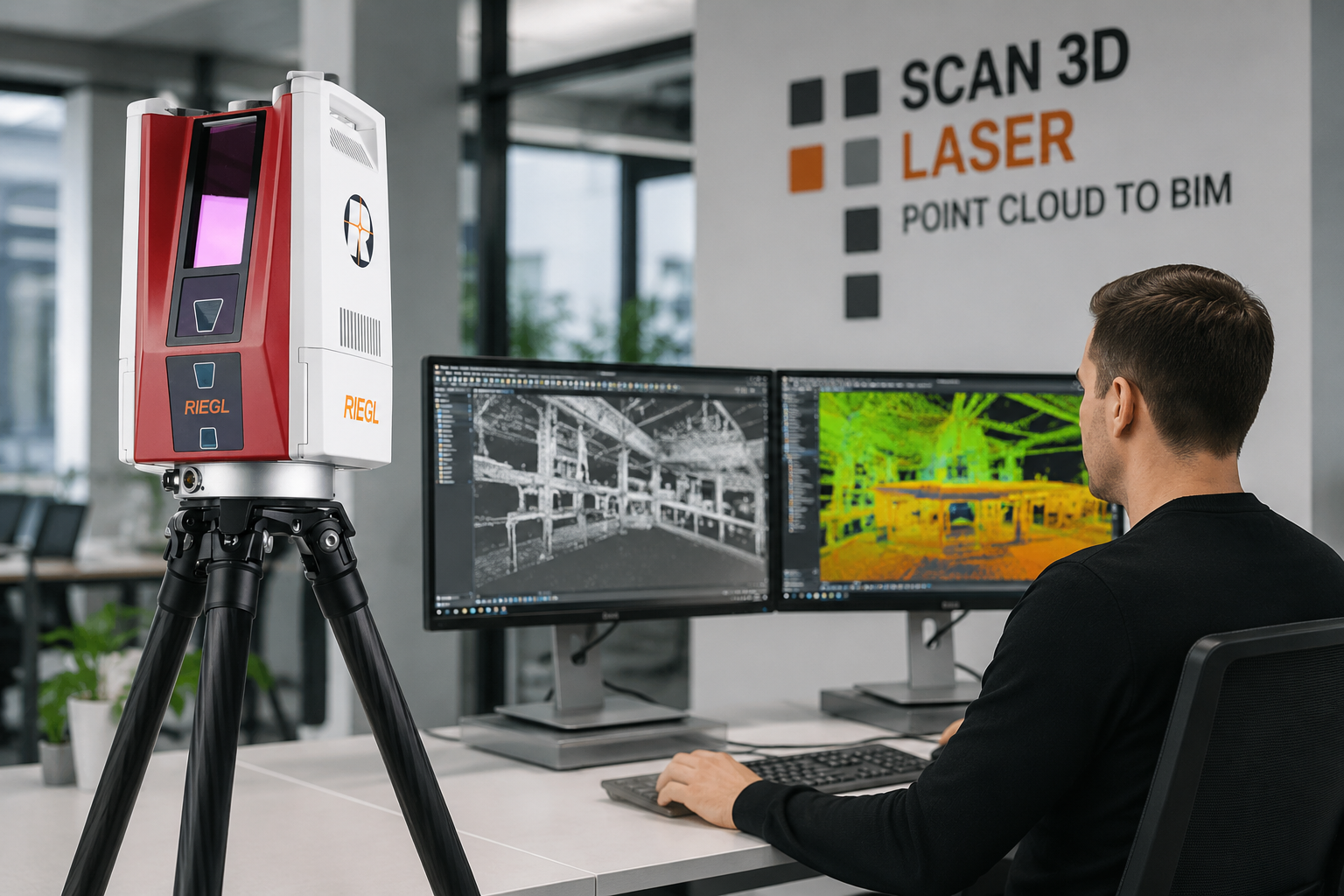
VMTS uses its own proprietary workflow and in-house developed software to process, analyse, and extract geometric data from the point cloud before any element is modelled in Archicad. Key dimensions, surface normals, plane fitting, and structural alignment are calculated from the point cloud, then fed into the Archicad model as verified reference data.
Loading a point cloud into Archicad as a background reference layer and manually tracing over it is a common industry approach, but it introduces significant deviation and missed detail: the modeller interprets geometry visually rather than extracting precise data. The result is a model whose accuracy is limited by what the human eye can distinguish on screen, not by the actual resolution of the scan data.
3. Native Element Modelling (LOD 200 to LOD 300)
Each architectural element is built as a native Archicad object: walls as wall elements, roofs as roof elements, doors and windows as parametric Archicad openings. This approach keeps the model fully editable within Archicad without requiring third-party plugins or IFC conversion rounds.
4. Quality Control and Deviation Check
After modelling, BIM elements are checked against the point cloud for deviation. Sections are cut at critical positions and overlaid with the scan data to confirm that the model meets the agreed accuracy tolerance.
✓ The industry standard for Scan-to-BIM is ±15mm. VMTS treats this as the baseline for every project. Consistently meeting and exceeding this standard on listed heritage structures is made possible by the proprietary processing workflow.
5. Native Archicad File Delivery
The final deliverable is an Archicad project file in .pln or .pla format. The client receives a model that can be opened, edited, and further developed directly in Archicad, independently of whichever point cloud software was used during production.
Why a Native Archicad Model Matters for Heritage Projects
Many Scan-to-BIM providers deliver an IFC file as the primary output. IFC is a valid exchange format, but it is not a working format. When an architect opens an IFC in Archicad, elements appear as generic objects — not native Archicad walls, roofs, and windows. For conservation and renovation projects, this matters considerably more than for new construction. Architects need to:
- Annotate and dimension directly from the model
- Generate accurate sections for planning permit submissions
- Edit openings, add new elements, and explore design options
- Share the model with structural and MEP engineers via Archicad Teamwork or IFC export
All of this is significantly more straightforward when starting from a native Archicad model. On the Alter Bahnhof Caputh project, delivering a native Archicad file meant the project team could move directly from documentation to design development without reformatting or rebuilding geometry.
| Architect’s requirement | IFC import file | Native Archicad (.pln) |
|---|---|---|
| Direct annotation & dimensioning | Limited — requires rework | ✓ Ready immediately |
| Accurate sections for permit submissions | Unreliable | ✓ Auto-cut, within tolerance |
| Edit openings, add new elements | Geometry must be rebuilt | ✓ Direct parametric editing |
| Share via Archicad Teamwork / IFC | Element data lost | ✓ Standard IFC export from native |
| Documentation → design development | Full reformatting required | ✓ Direct transition, no rebuild |
Photogrammetry as a Complement to Laser Scanning
The Caputh project combined laser scanning with photogrammetry. The two methods serve distinct roles in heritage building documentation.
Laser Scanning
- Captures precise geometry: coordinates, distances, surface shapes
- Geometric reference source for the BIM model
- Foundation for computationally extracted data
Photogrammetry
- Captures visual information: texture, colour, surface condition
- Visual record of material characteristics
- Verifies surface condition and informs decisions on which features to represent in BIM
Within the Archicad model, the point cloud provides the geometric reference. Photogrammetric imagery is used to verify surface condition and determine which features need to be explicitly represented in the BIM and what is stored in the project archive.
VMTS Approach to Point Cloud to Archicad
VMT Solutions has built its Scan-to-BIM workflow around the requirements of European clients — particularly surveying firms and architecture practices in the DACH region (Germany, Austria, Switzerland) delivering projects in Archicad.

Proprietary Processing Software
Rather than relying solely on Archicad’s built-in point cloud reference functionality, VMTS has developed its own tools to extract geometric data with greater accuracy than manual tracing allows. Plane fitting, structural alignment, and dimensional references are calculated and fed into Archicad as verified input data.

Geomatiker Quality Control
Every incoming point cloud is reviewed by a certified surveying specialist before modelling begins. This step is not standard practice across the industry, but it is the most reliable way to prevent geometric errors from propagating into the BIM model.

Native Software Delivery
VMTS models directly in Archicad rather than working in a neutral environment and converting to IFC. Clients receive the file format they work in every day.

Scalable Team
With more than 100 specialists in the BIM production team, VMTS can absorb peak workloads without affecting delivery schedules. Primary markets: Germany, Austria, Switzerland, and international heritage projects.
Frequently Asked Questions
Can Archicad import point cloud data directly?
Yes. Archicad supports point cloud files in u003ccodeu003e.xyzu003c/codeu003e, u003ccodeu003e.ptsu003c/codeu003e, u003ccodeu003e.e57u003c/codeu003e, and other common formats as background reference layers. However, using a point cloud reference in Archicad and manually tracing over it is not a high-accuracy method. For high-precision Scan-to-BIM work, VMTS processes the point cloud using proprietary tools to extract geometric data computationally before any element is modelled in Archicad.
What accuracy can be expected from a Point Cloud to Archicad model?
The industry standard tolerance for Scan-to-BIM is u003cstrongu003e±15mmu003c/strongu003e. This is the baseline VMTS commits to on every project. To achieve this consistently, VMTS uses proprietary processing software to extract geometric data from the point cloud computationally before modelling. Tighter tolerances can be agreed on a per-project basis.u003cbru003e
What is the standard LOD for historic building documentation in Archicad?
Most heritage documentation projects are delivered at LOD 200 (massing, openings, primary structural elements) or LOD 300 (precise geometry, full opening schedules, detailed roof structure). LOD 400 is sometimes specified for elements requiring fabrication-level detail. The appropriate LOD depends on how the model will be used in subsequent stages.
How is the deliverable structured?
The standard VMTS deliverable for an Archicad project is a u003cstrongu003e.plnu003c/strongu003e or u003cstrongu003e.plau003c/strongu003e project file organised by model discipline (architecture, building envelope, MEP where applicable), with a coordinate system matching the original scan data. Accompanying documentation includes an accuracy verification report and, on request, the quality-checked source point cloud.
How long does a Point Cloud to Archicad project take?
Timeline depends on building size, complexity, and the agreed LOD. For a structure comparable in scale to Alter Bahnhof Caputh, an LOD 200 to LOD 300 model typically takes u003cstrongu003etwo to four weeksu003c/strongu003e from receipt of the checked point cloud data to delivery of the final Archicad file.
Ready to start your first project with VMTS?
If you are working on a renovation or heritage documentation project and need a native Archicad model from laser scan data, we would be happy to discuss your requirements. Send us your point cloud data and project brief for a detailed quotation — we typically respond within 24 hours.
Explore our Scan to BIM service page for more information on deliverables, workflow, and accuracy standards.
Article prepared by the VMT Solutions content team. Reference project: Alter Bahnhof Caputh, Brandenburg, Germany.
Nguyen Huynh (Rainer)

About the Author:
Nguyen Huynh (Rainer) is Managing Director at VMT Solutions, specializing in Point Cloud to BIM workflows for surveying, planning, and engineering offices. He focuses on precise BIM models, clearly defined quality standards, and long-term technical partnerships.
Share This Story!
Related Posts

Recent Posts

We are proud to have
satisfied customers.

 Gerd Gindullis, Lecturer for digital as-built data capture at Aachen University of Applied Sciences, TerraMeta 3D Laser Service
 Stefan Schramm, Architekt Stefan Schramm
„Your plans are perfect; I’ve never seen anything like this before. These are drawings of the highest quality, I must say. I want to express my sincere thanks once again for your work.“
 Endre Szokolai, Digitalplan-Szokolai
VMT modeled a large industrial building in 3D for our research project. We provided DWG plans to VMT, and they delivered a highly detailed model, including the building envelope, interior walls, openings, and stairs. We had previously contracted a German company for the same object, but unfortunately, it didn’t work out. I was relieved and pleased that VMT handled it so reliably. Thank you for the excellent work and the truly fair price!

Very reliable company, courteous staff, and top-quality work. Our plans were created quickly and accurately. Thank you for that. Highly recommended.
Excellent advice and high 3D modeling quality at a great price-performance ratio… What more could you want? I can highly recommend them…