Colored vs. Intensity Point Cloud:What actually mattersfor BIM accuracy
RGB color data is assumed to be better. In most interior BIM projects, the assumption is wrong. Here is what the data actually shows — and what a BIM modeling team needs from a point cloud to deliver a precise, LOD-compliant model.
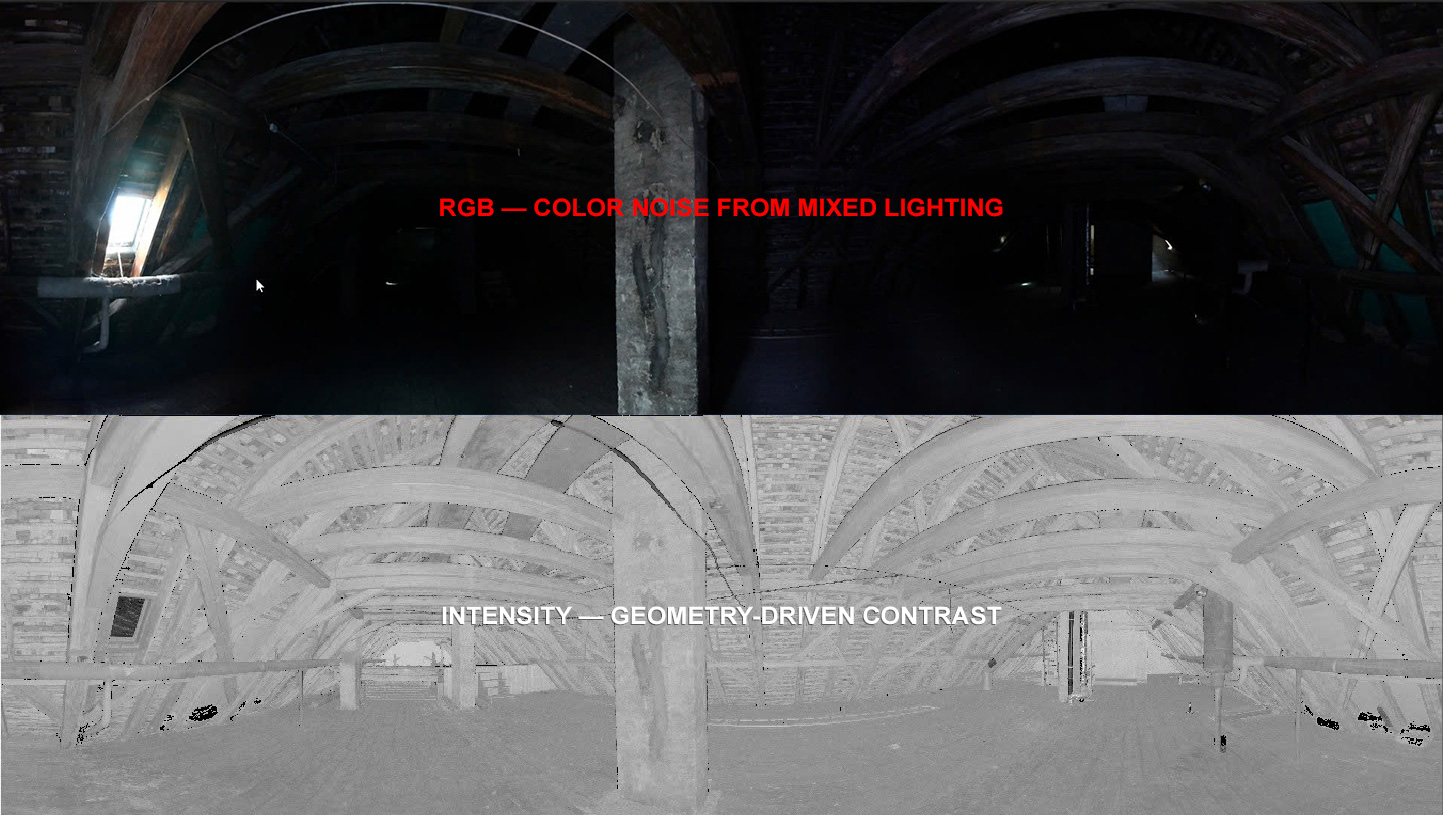
When a surveying office completes a 3D laser scan, one question comes up frequently at the handover stage: does the BIM modeler need color data, or is intensity enough? The assumption — often stated with confidence — is that a colored (RGB) point cloud always produces better BIM results. More data means more accuracy. More information means less risk of error.
At VMTS, we work with both data types every week, across projects ranging from small residential renovations to large public buildings exceeding 14,000 m². The reality is more nuanced than the assumption suggests — and in many cases, intensity data not only works but outperforms RGB for pure geometric accuracy.
Understanding the two data types
Definition
Intensity point cloud
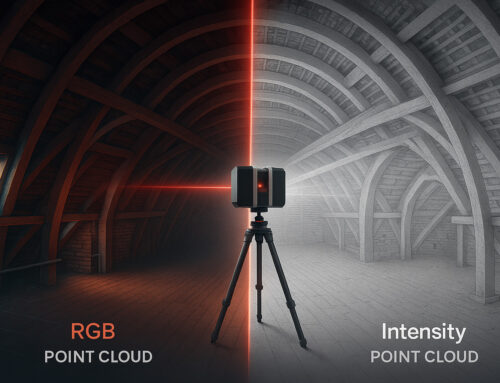
Stores, for each measured point, a single value: the reflectivity of the surface when struck by the laser pulse. This is a direct physical measurement from the LiDAR sensor itself — not influenced by ambient light, camera angle, or exposure settings. The visualization is grayscale, with contrast that follows material boundaries, not light sources.
Direct measurement, Light-independent, 1 value/point
Definition
RGB (colored) point cloud
RGB color data is not generated by the laser scanner. Color values are mapped onto measured points from photographs taken by an integrated or external camera. The result is indirect: affected by ambient lighting, exposure balance, lens quality, and camera calibration accuracy.
Indirect (camera), Light-dependent, 3 values/point
What BIM modelers actually see
The BIM modeler’s task is geometric interpretation: where does this wall start and end? Where is the floor level? What is the thickness of this column? For these questions, edge clarity matters more than color — and edge clarity in a point cloud is a function of intensity contrast, not RGB contrast.
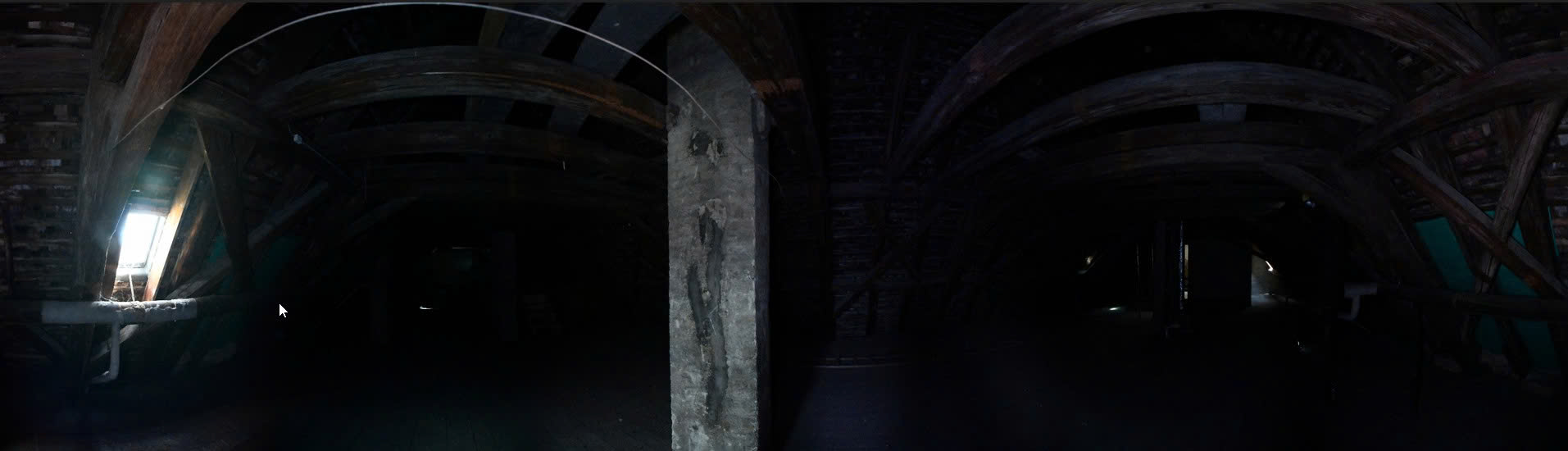
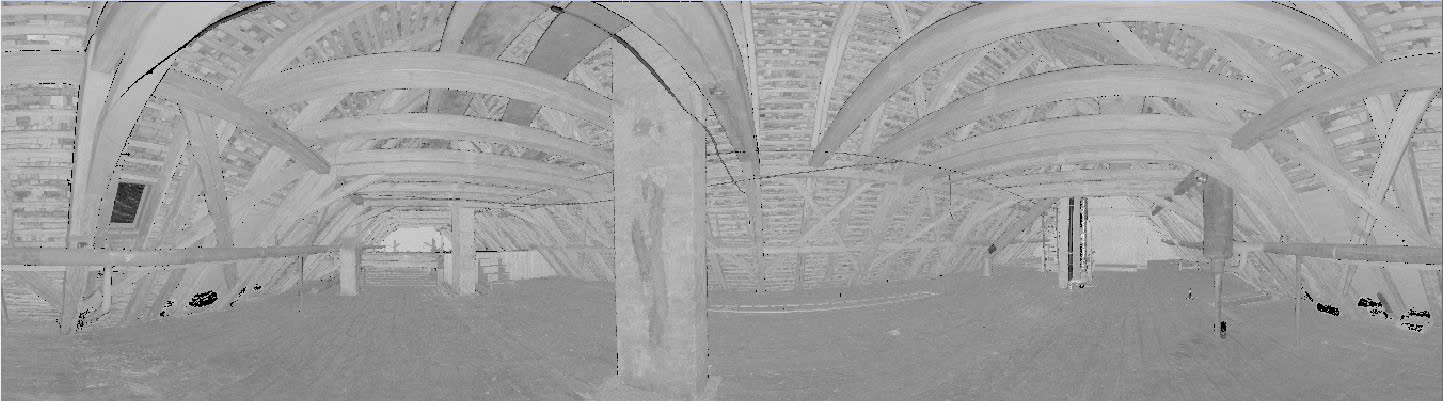
In the intensity view, the column edge is defined by reflectivity contrast — concrete vs. air, each with a consistent signal. In the RGB view of the same space under mixed lighting, the color shifts from warm to cool across the column face, creating ambiguity at the very edge the modeler needs to trace.
“RGB adds what the camera sees. Intensity adds what the laser measures. For geometric modeling, the laser measurement is always the more reliable source.”
Where RGB data falls short in typical BIM projects
Mixed lighting environments
Most building interiors — offices, hospitals, residential buildings, historic structures — have mixed light sources: fluorescent ceiling panels, natural daylight from windows, shadows from furniture and partitions. Camera-based color capture renders each surface differently depending on which light source dominates at that point in the image. A white concrete column lit from the left will read as warm beige; the same column lit from a window on the right reads as cool grey. The geometry is identical. The color is not. For the modeler, this means a wall edge that is clearly visible in intensity data may be visually ambiguous in RGB.
Enclosed and low-light spaces
Basements, plant rooms, archive vaults, industrial storage areas, and stairwells are common in renovation and heritage projects. Camera-based RGB capture in these spaces requires HDR bracketing, artificial lighting setups, or long exposures. If these are not consistently applied across every scan station, the RGB layer introduces noise without adding geometric information. At VMTS, we have processed multiple projects where the client provided intensity-only scans from enclosed spaces — the modeling outcome was not compromised. The geometry was complete. The color was not needed.
File size and workflow speed
An RGB point cloud stores three color values per point instead of one. For large projects — multi-floor buildings above 5,000 m², industrial facilities, or historic structures with complex geometry — this difference compounds quickly. File transfer times increase, software performance decreases, and registration workflows become heavier. Scanning without activating the camera is a legitimate time and resource decision, not a quality compromise.
Where RGB data adds genuine value
Scan in color (RGB) — when this applies
- Exterior facades requiring material classification (stone, brick, render, cladding)
- Heritage or conservation documentation where surface texture and patina carry significance
- Point cloud deliverable to end client for visual reference
- Vegetation and landscape classification where geometry alone is insufficient
- Projects with explicit BIM team request for color channels
Scan intensity-only — when this is sufficient
- Interior renovation, as-built documentation, LOD 200–300 BIM models
- Enclosed or low-light spaces where camera quality is compromised
- Tight survey timelines where camera setup adds measurable delay
- Large multi-floor buildings where file size impacts processing
- Primary deliverable is a native BIM model, not a visual point cloud
Case example: 14,000 m² multi-floor building, intensity only
Workflow applied
Registration quality check, identification of low-density gaps, and scan coverage verification before modeling begins. Issues flagged and resolved at this stage, not discovered mid-modeling.
Raw intensity values vary by scanner model, scan distance, and surface angle. A normalization pass ensures consistent contrast across the full dataset, regardless of which scanner station generated each point cluster.
Client provided room photographs taken during the survey. Organized by floor zone and linked to corresponding model areas. Used as secondary reference for material identification in geometrically ambiguous elements — not as a modeling guide.
Each floor processed in sequence with cross-floor consistency checks at level transitions, openings, and structural penetrations. LOD 300 compliance verified per element category before handover.
“You scan — we support all downstream services, from point clouds to native BIM models.”
That includes advising on which input data is actually needed for the model you require. An unnecessary color scan adds survey time and file volume. A missing color scan on a heritage facade can mean a return visit. The right decision depends on the project, not on a general rule.
The VMTS recommendation: prioritise intensity scanning on most projects
Based on our experience across hundreds of Scan to BIM projects — primarily for surveying firms and architects in the DACH region — we actively recommend that clients prioritise intensity-only laser scanning for the large majority of building documentation work, even when lighting conditions would permit colour capture.
This is not primarily a cost or speed argument. It reflects how BIM modeling actually works — and what the data is genuinely used for.
Colour data plays no role in the modeling workflow
Our BIM modeling process involves geometric interpretation of the point cloud: identifying surfaces, planes, openings, and structural relationships based on point position and reflectivity values. The colour channel is not referenced at any stage. We do not insert colour imagery and trace over it. We read geometry directly from the point cloud.
RGB data can, in practice, introduce noise that works against precision. In mixed or artificial lighting — typical in the interiors we most commonly model — colour information is inconsistent across scan stations. Where a wall surface moves between lit and shadowed zones, the RGB values blend across the boundary. The intensity signal derived from LiDAR reflectivity remains stable regardless. For a modeler establishing wall thickness or locating an opening edge, intensity is the more reliable reference.
VMTS PRACTICE DATA
Approximately 80% of the projects we model are delivered from intensity-only point clouds.
This is not a limitation. It reflects a deliberate decision by experienced surveying teams who understand that colour capture is unnecessary for the BIM deliverable their client requires.
For the surveying firm: no colour means faster, simpler fieldwork
If you are coordinating or executing the survey, operating without the camera workflow removes several variables from the field process: no HDR exposure sequences, no lighting conditions to manage, no camera calibration checks, and significantly smaller raw files to handle at registration. On constrained sites — limited access windows, occupied spaces, time-pressured programmes — this simplification has practical value.
Our standard recommendation to surveying partners: capture a set of supplementary photographs room by room during the scan session. This takes a few minutes and gives our modelers the material reference needed for geometrically ambiguous elements. It is a substantially more efficient alternative to activating the scanner camera across the full dataset — and the photographs are more useful for material identification than RGB point cloud data under artificial lighting.
The summary is straightforward: for interior renovation, structural as-built documentation, MEP routing, and standard LOD 200 to LOD 300 deliverables, colour point cloud data is not required and, in some conditions, is counterproductive. Scanning without colour is the correct default for most BIM projects. The exceptions — heritage facades, landscape, visual deliverables — are the minority of work, not the rule.
Comparison: RGB vs. intensity for BIM modeling
| Factor | RGB Point Cloud | Intensity Point Cloud |
|---|---|---|
| Color source | Camera images (indirect) | LiDAR reflectivity (direct) — physical measurement |
| Light dependency | High — affected by ambient light, shadows, exposure | Low — independent of ambient lighting conditions |
| Edge definition | Variable — depends on color and light contrast | Strong — follows material reflectivity boundaries |
| BIM modeling suitability | Good for visual context, material identification | Good to excellent for geometric accuracy and LOD compliance |
| File size | Larger — 3 color channels per point | Smaller — 1 reflectivity value per point |
| Survey speed | Slower — camera setup and HDR processing required | Faster — no additional setup |
| Best for | Heritage facades, landscape, visual deliverables | Interior renovation, structural as-built, LOD 200–300 |
| Key limitation | Poor in low light; color noise can obscure edges | Material ID in ambiguous areas requires supplementary photos |
Frequently asked questions
Yes. LOD 300 defines geometric accuracy and element completeness — it does not require color data. The point cloud density and registration quality determine whether LOD 300 is achievable. Intensity data, properly processed, provides sufficient edge definition for LOD 300 modeling of standard architectural and structural elements. VMTS regularly delivers LOD 300 models from intensity-only source data.
No. Geometric accuracy — the positional precision of each measured point — is determined by the LiDAR sensor and the registration process. RGB color adds visual information but does not improve geometric precision. In poorly lit conditions, RGB data can actually reduce modeling accuracy by introducing color noise that obscures edge boundaries.
Both data types are stored in the same formats: E57, LAS/LAZ, RCP/RCS (Autodesk), or PTX (Leica). The difference is in which data channels are populated. E57 and LAS/LAZ support both intensity and RGB channels in the same file. Whether color channels are present depends on whether the scanner camera was activated during the survey — not on the file format chosen at export.
In most cases, no. If the BIM deliverable is a standard LOD 200 or LOD 300 model, an intensity-only scan is workable. The BIM modeler may request supplementary photographs for material identification in geometrically ambiguous areas. A rescan is only warranted if point density is insufficient, registration errors are present in the source data, or a visual deliverable specifically requires color information.
Most professional terrestrial LiDAR scanners — including the Leica RTC360, Leica BLK360, Faro Focus series, and Trimble X7 — capture intensity data by default as part of the LiDAR measurement. RGB capture requires activating an integrated camera or using an external camera workflow. Scanning without activating the camera is a deliberate workflow decision, not a hardware limitation.
Work with VMTS
Not sure which data type your project requires?
Send us your project scope or point cloud sample before the survey takes place. We review the downstream BIM requirements and advise on data capture decisions — at no obligation.
Nguyen Huynh (Rainer)

About the Author:
Nguyen Huynh (Rainer) is Managing Director at VMT Solutions, specializing in Point Cloud to BIM workflows for surveying, planning, and engineering offices. He focuses on precise BIM models, clearly defined quality standards, and long-term technical partnerships.
Share This Story!
Related Posts


Recent Posts


We are proud to have
satisfied customers.

 Gerd Gindullis, Lecturer for digital as-built data capture at Aachen University of Applied Sciences, TerraMeta 3D Laser Service
 Stefan Schramm, Architekt Stefan Schramm
„Your plans are perfect; I’ve never seen anything like this before. These are drawings of the highest quality, I must say. I want to express my sincere thanks once again for your work.“
 Endre Szokolai, Digitalplan-Szokolai
VMT modeled a large industrial building in 3D for our research project. We provided DWG plans to VMT, and they delivered a highly detailed model, including the building envelope, interior walls, openings, and stairs. We had previously contracted a German company for the same object, but unfortunately, it didn’t work out. I was relieved and pleased that VMT handled it so reliably. Thank you for the excellent work and the truly fair price!

Very reliable company, courteous staff, and top-quality work. Our plans were created quickly and accurately. Thank you for that. Highly recommended.
Excellent advice and high 3D modeling quality at a great price-performance ratio… What more could you want? I can highly recommend them…